Customer list
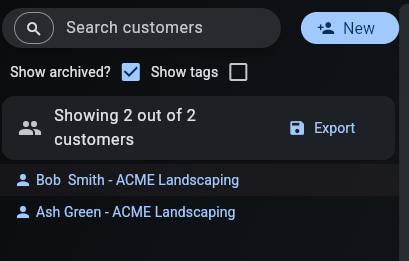
The customer list shows all customers in your database. It allows you to search multiple fields and filter archived customers.
Archived customers will show with a grey filter on their name if "Show archived" is enabled, otherwise they will not be displayed.
Searchable fields
The following fields are searchable in the customer list:
- Company
- First name
- Middle name
- Last name
- Preferred name
- Phone
- Mobile phone
- Extra contact details
- Company
- Department
- Address 1
- Address 2
- Address 3
- City
- State
- Postcode
- Fax phone
- Any tags on the customer
The scratch pad is not searchable.
Tag only search
By pressing the search icon in the left corner of the search bar you can toggle tag only search. This allows you to do strict matches to only the tags on a customer. Like standard search, this is not case-sensitive.
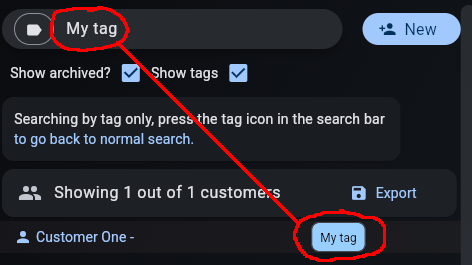
This is very useful if a normal search is returning extra customers with fields that happen to match a tag name. For example, if a customer name includes the name of your tag.
Press the icon in the search bar again to return to the normal search.
Search export and mass emails
You can export the customers returned from a search to a CSV file by pressing the export button.

This is useful if you want to send an email to all customers with a certain tag. You can easily obtain all their emails (or any other fields) using Excel, Google Sheets or LibreOffice.
Select the exported CSV and open it using your preferred spreadsheet program. You can use it like any other spreadsheet.