Tags
You can use tags to group customers into easily searchable groups. This is great for grouping customers that:
- purchase a certain product
- want to be contacted when a new product is released.
Tag edit window
The tag edit window can be opened by pressing the purple "Tags" button in customer details.
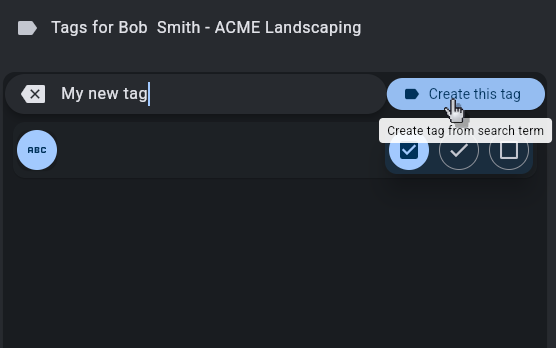
This shows all tags in your database. Each checkbox controls if that tag is enabled for the selected customer.
To create a new tag, type the tag name into the search bar, and press create.
- This tag will automatically be enabled for the customer you have selected
Tag colors
You can color code your tags by pressing the color block next to the tag name:

Searching
In the customer list, you can also use tag only search.
This can be used for sending a mass email to all customers with a certain tag.
Just search for the specific tag you want and export the results.